digipaper

A Complete Document Digitization Solution

Convert tons of unorganized documents into an organized collection of digital documents that can easily be searched through and retrieved in seconds

Free Trial Buy Now
Overview

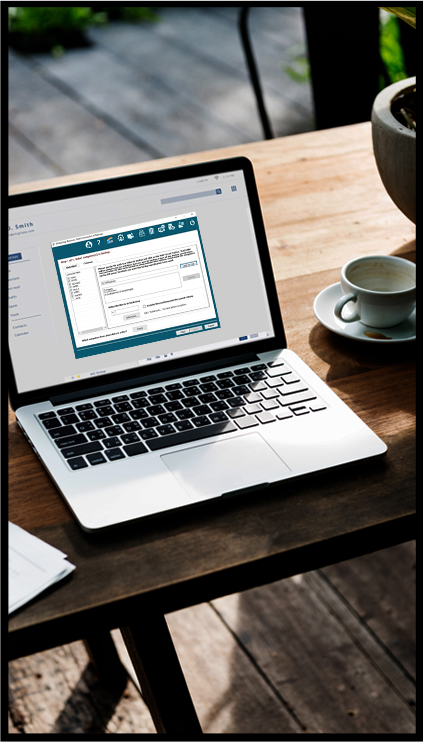
SARANGSoft digipaper is a Windows-based document digitization and management software that securely stores scanned and electronic documents in digital repositories.

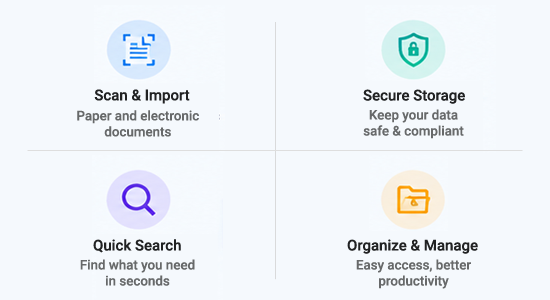
It enables users to scan, import, tag, organize, search, and retrieve documents easily. With built-in OCR, full-text search, bulk document import, access control, and version management, digipaper helps organizations manage digital documents securely and efficiently.

Key Features

Organize Documents

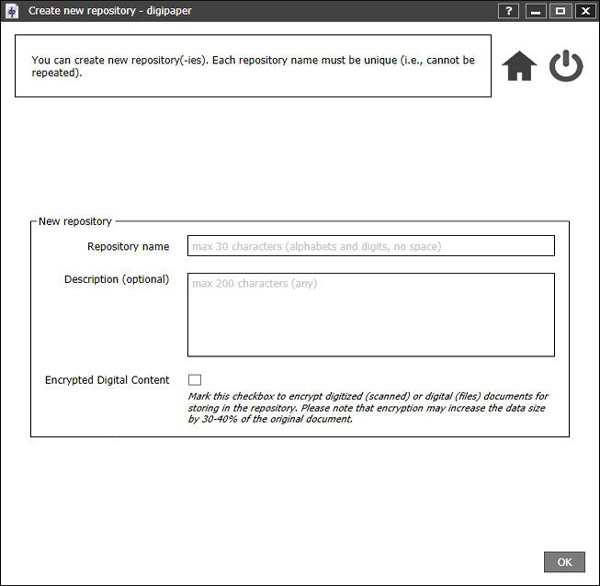
Create repositories as per organization need

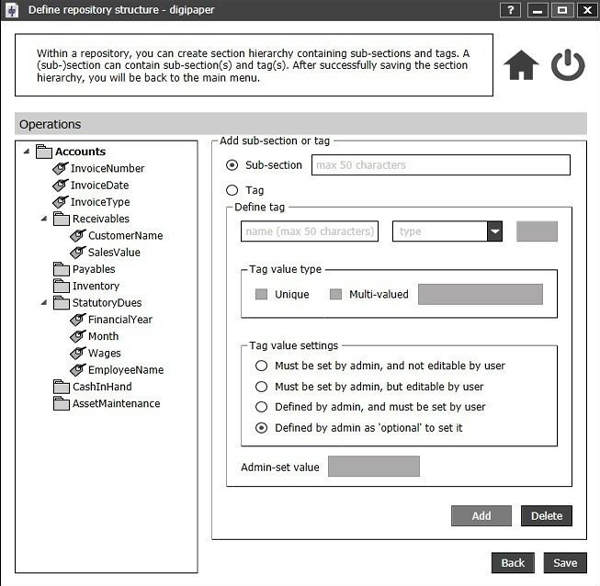
Create folder / sub-folder hierarchy under each repository

Store documents of similar kind under each folder / sub-folder

Store Documents

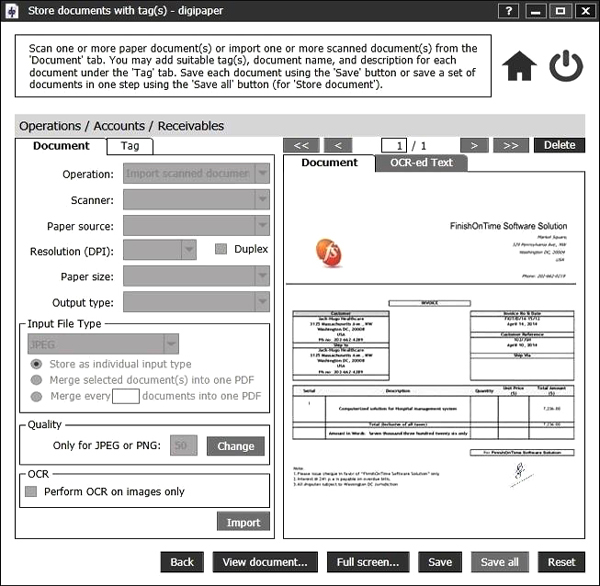
Scan paper documents or store scanned documents

Store any format electronic documents

"Tag" documents as required for ease of identification

Search Documents

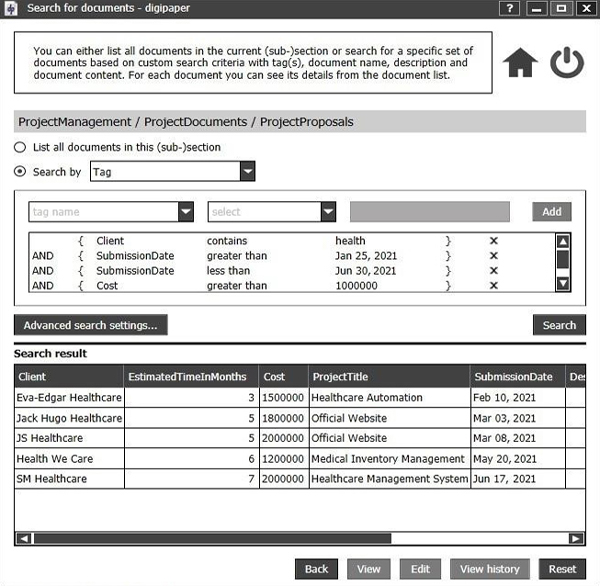
Locate documents with easy and flexible search

OCR for text content from digitized documents

OCR for text content from searchable PDFs

Access Documents

Control user’s access to documents

Manage multiple versions of any document

Share documents to others with proper permission

Benefits

Organize Documents, Clean Desk

Organize documents in hierarchical repositories

Cleaner desks, shelves/cabinets, office

Store Any Kind of Document

Scan paper documents in image or PDF

Store any format electronic documents

Secure Access of Documents

Access to documents anywhere, any time

No tampering of digitized / digital documents

Maintain Version(s) of a document

Add new version of a document

Document history for changes over time

Find Document(s) by Document Content

OCR-ed text as tag from scanned documents

OCR-ed text as tag from searchable PDFs

Find Required Document(s) at Minimum Time

Identify documents via flexible tagging

Locate documents within a given date range

Look & Feel

Technical Details

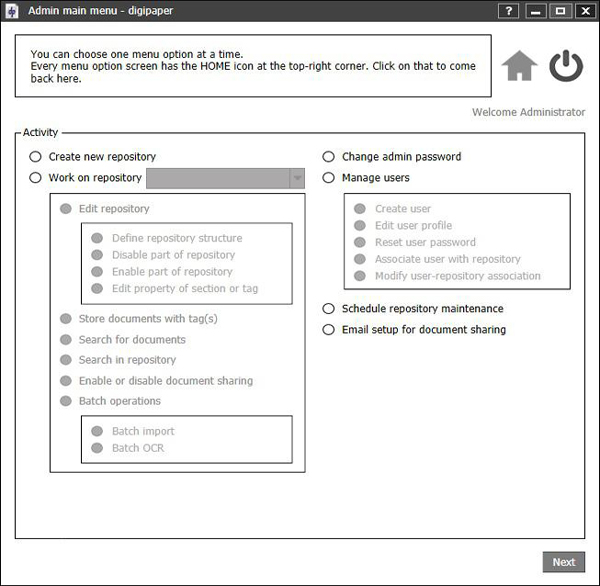
  • Using digipaper you first need to create repositories with hierarchical folder / sub-folder structure. These repositories will be created based on your organization structure. It will help to organize digitized documents into proper folder / sub-folder in a specific repository.
  • Paper documents can be directly scanned and store in digipaper. Scanned documents will be stored in either JPEG or PNG or PDF format.
  • If you have a lot of already scanned documents in your computer you can store those documents in bulk using digipaper. You can schedule bulk import of such documents as per your suitable time.
  • You can store set of Searchable PDF documents using bulk import. Those PDF documents can be OCRD-ed using digipaper's built in OCR during store so that you can locate a specific document through its content later.
  • Electronic documents of any type (.doc, .xls, .ppt, .pdf, image/graphics, ...) can be stored in digipaper repositories.
  • Tag (i.e., mark) each digital document with attribute (also referred to as "metadata") values of type text / number / date / time / custom data related to the document (e.g., name, department, account number, document type, date/month/year etc.). This helps later identify / find the document.
  • After scanning and tagging the document, securely store the digitized and tag(s) in a backend database.
  • Prevent access (view / print / alter) to a digitized document or its tags (metadata) in the repository from outside digipaper without authentication via login using a valid user account.
  • Once a digitized document is stored in digipaper, its metadata can be edited.
  • A new digitized copy of an already stored document can be added. This new copy will be stored as another version of the document. At any time version history of a document can be shown to present the changes made to the document over time.
  • Use digipaper's flexible search on document tags to easily locate the required document.
  • digipaper admin can create different type of users with different access privilege on digitized documents.
  • As a digipaper admin you grant sharing access to some users so that /she can share some documents to others. The user with share access can send email to the person s/he want the document to share with. The email will contain the link to download the document.